


Welcome to Webudding, the largest digital stationery.
We have several updates scheduled for this December, and here are the first half of them.
First, we're splitting this update into two phases,
The updates will be released as follows.
When will it go live
1.
First Update: December 17th, 2025
2.
Second Update: Janurary 19th, 2025
*This is a tentative schedule and is subject to change.
Update summary
First Update
1.
You can now utilize the Options feature to combine similar files as a single product.
2.
If you want to set different thumbnail images and product details for different options, please utilize the Primary Options feature.
3.
If you want to set the thumbnail image and product details to be the same regardless of the options, use the Secondary Options feature.
Second Update
1.
Along with the removal of the product details editor, dimensions of the thumbnail image have also changed.
2.
You can now upload videos, and they will appear in the thumbnail area.
3.
You can now upload preview files and sample files.
Update #1 Highlights
Options
1.
You can now set multiple options for a single product and upload product files for each option.
2.
The options feature is divided into Primary and Secondary options.
a.
If you want to set different thumbnail images and product details for different options, use the Primary Option feature.
b.
If you want to set one thumbnail image and product details regardless of the options, use the Secondary Option feature.
c.
Items that are set as Primary Options cannot be selected in the Secondary Options.

Tip List similar files that differ only in color, date type, etc., as a single product. Customers will be more likely to buy them if they are grouped!
List similar files that differ only in color, date type, etc., as a single product. Customers will be more likely to buy them if they are grouped!Options - Primary Option
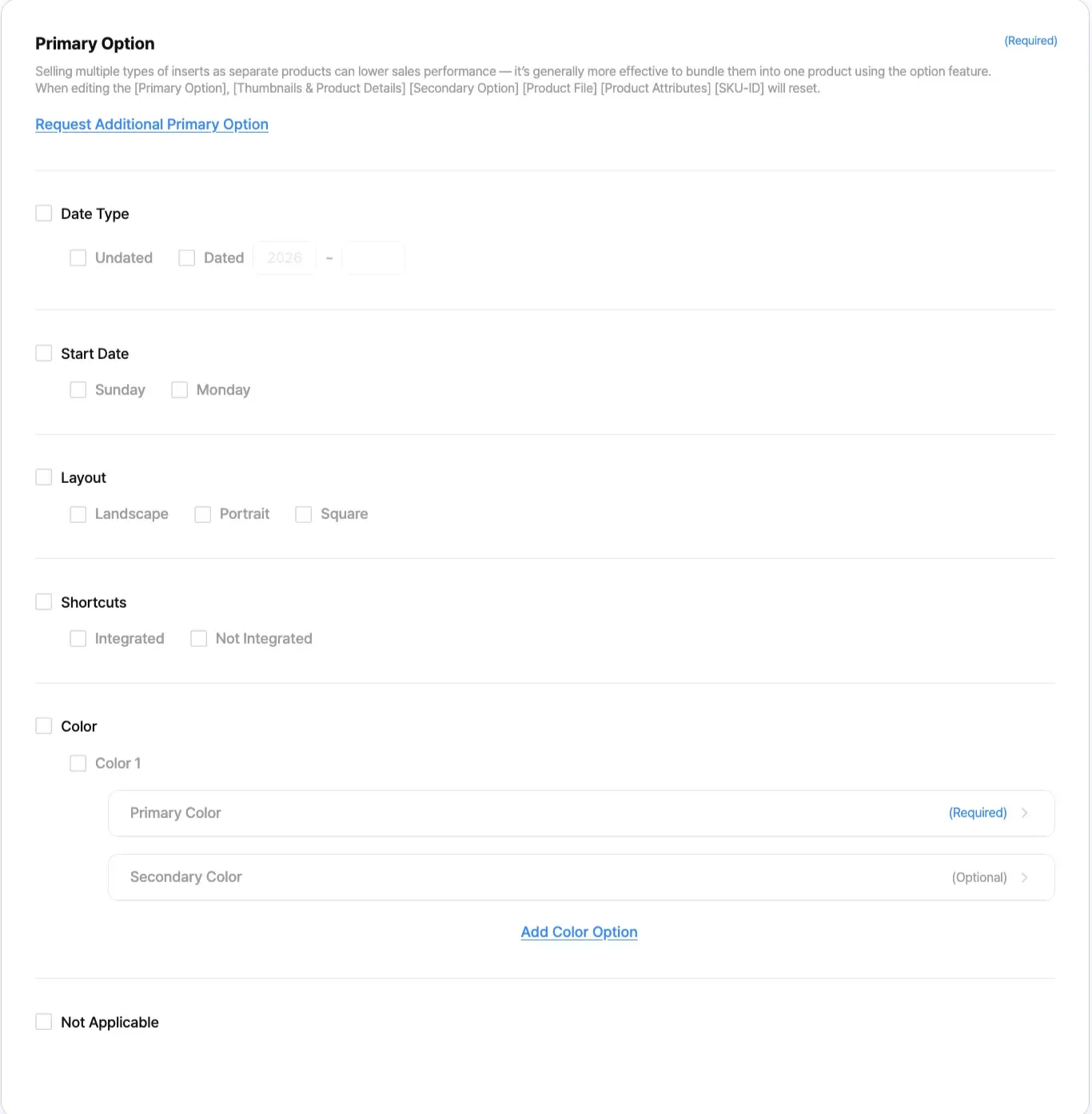
Before Update | After Update |
This feature didn't exist before. | If you want to add different thumbnails and product details for different options, you can use the 'Primary Option' feature.
For example, if you select 'Sunday' and 'Monday' for the 'Start Date' in the 'Primary Options', you can upload 2 thumbnails and 2 product details.
i.e. A thumbnail and product details for the 'Sunday' option and a thumbnail product details for the 'Monday' option. |
Options - Secondary Option
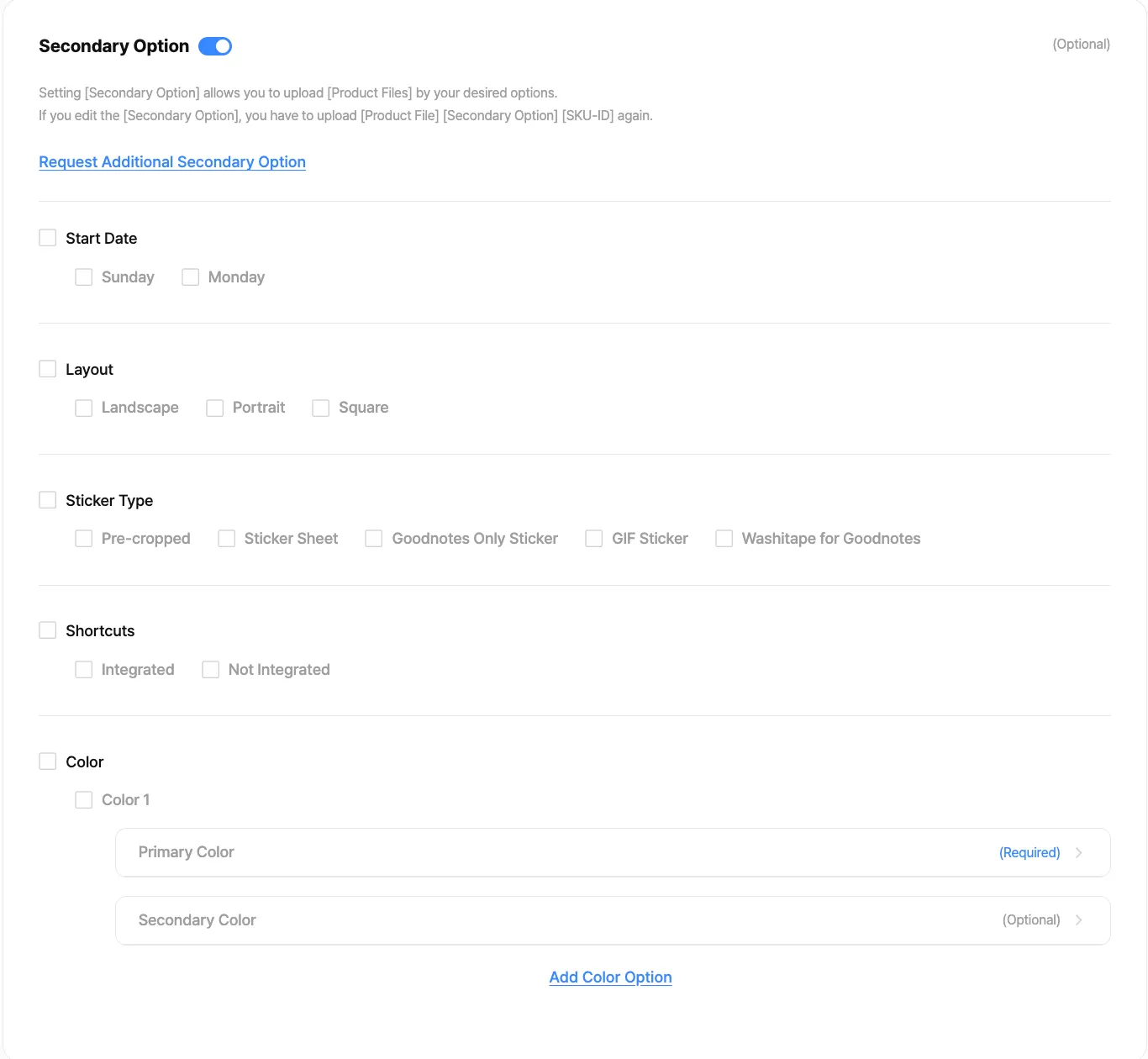
Before Update | After Update |
This feature didn't exist before. | If you want to upload one thumbnail and product details, you can use the 'Secondary Options' feature.
For example, if you select 'Sunday' and 'Monday' for 'Start Date' in the Secondary Options, you can still upload one type of thumbnail and product details. |
Product File
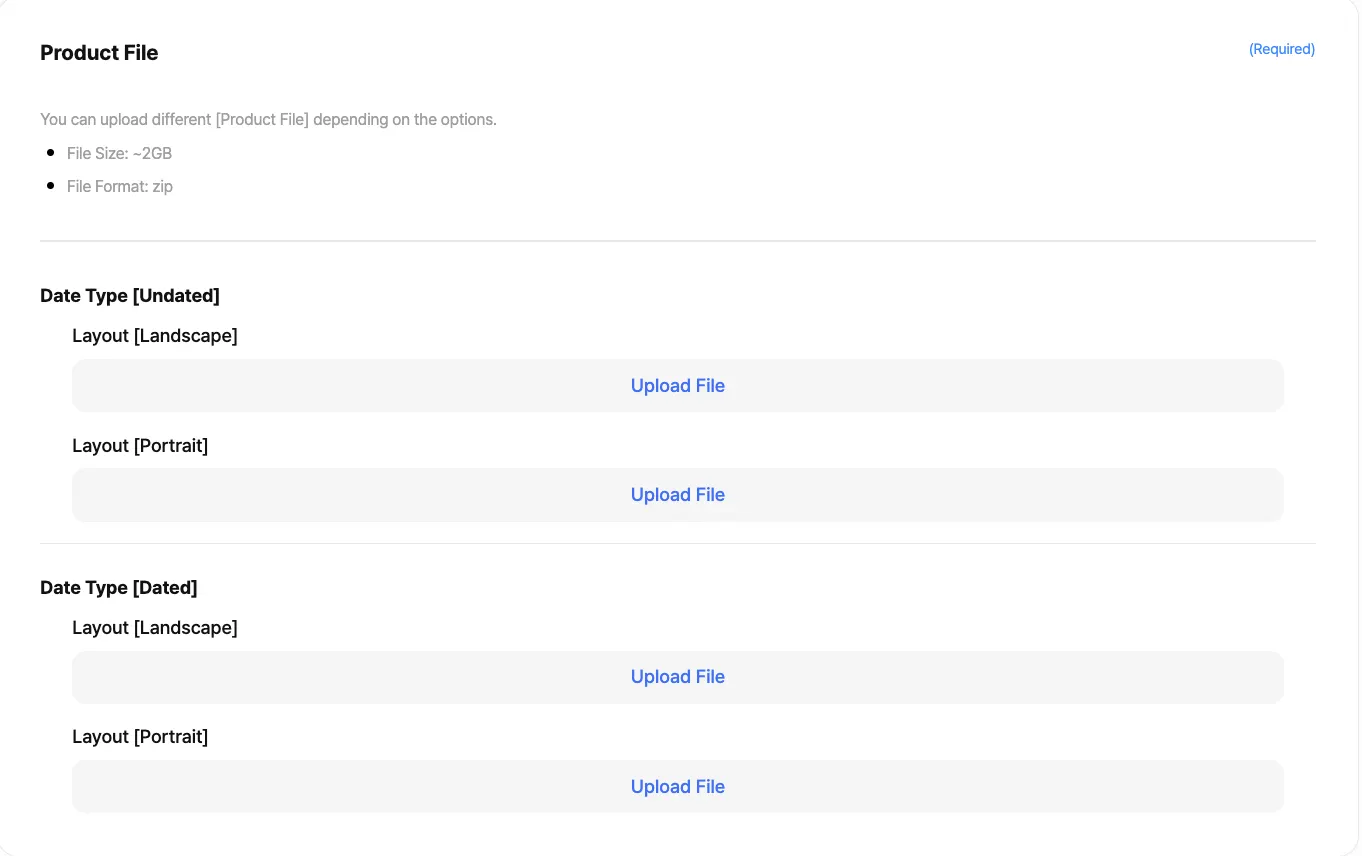
Before Update | After Update |
You can upload 1 file per product. | Now, you can upload as many product files as the product combination you set in the primary and secondary options.
For example, if you select 'Portrait' and 'Landscape' for 'Layout' and 'Black' and 'White' for 'Color' in the Primary Option, you can upload 2X2 = 4 product files.
This means that you can upload 'Horizontal-Black', 'Horizontal-White', 'Vertical-Black', and 'Vertical-White' product file. |
SKU (SKD-ID)
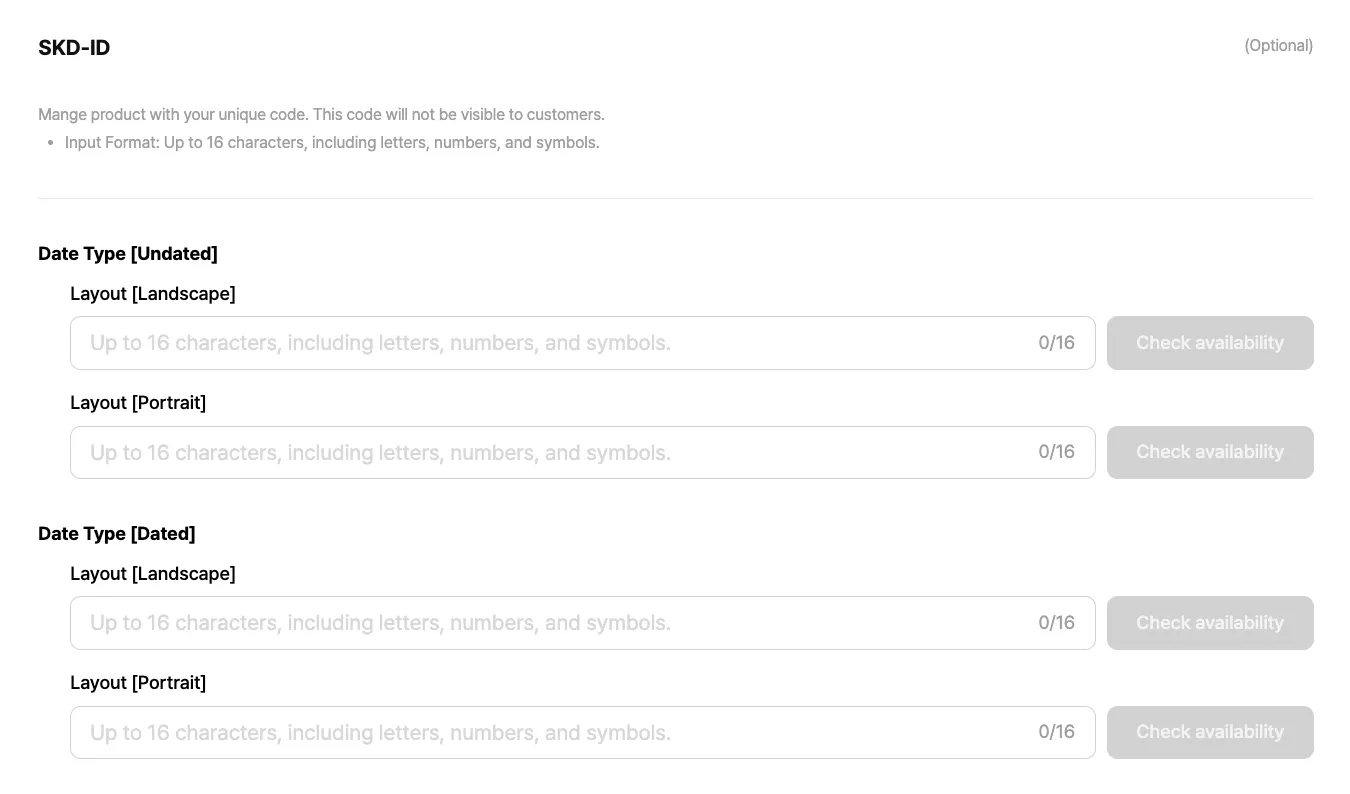
Before Update | After Update |
You could create one SKU code per product. | Now, you can upload as many product files as the product combinations you set in the Primary and Secondary Options.
For example, if you select 'Landscape' and 'Portrait' in the Primary Option, and 'Black' and 'White' in the Secondary Option, you can create a total of 2X2=4 SKU codes. |
Frequently Asked Questions
Q1. Can I customize the options for my existing products?
 Yes. You can add options to your existing products by logging into Creator Admin after the update.
Q2. Will options always be required in the future?
No. You can use them only when you want to upload similar files as one product.We're making these updates to provide better product information to our Webudding customers.
As always, if you have any questions, please feel free to contact us through 1:1 support in Creator Admin. 
Sincerely, Webudding

Tel : 1877-8160 ⎜ contact@noutecompany.com 4F, 306, Hakdong-ro, Gangnam-gu, Seoul, Korea