This is a guide to the [Category] section, where you select the primary purpose of the product during the new product registration process.
1. Category - Select
•
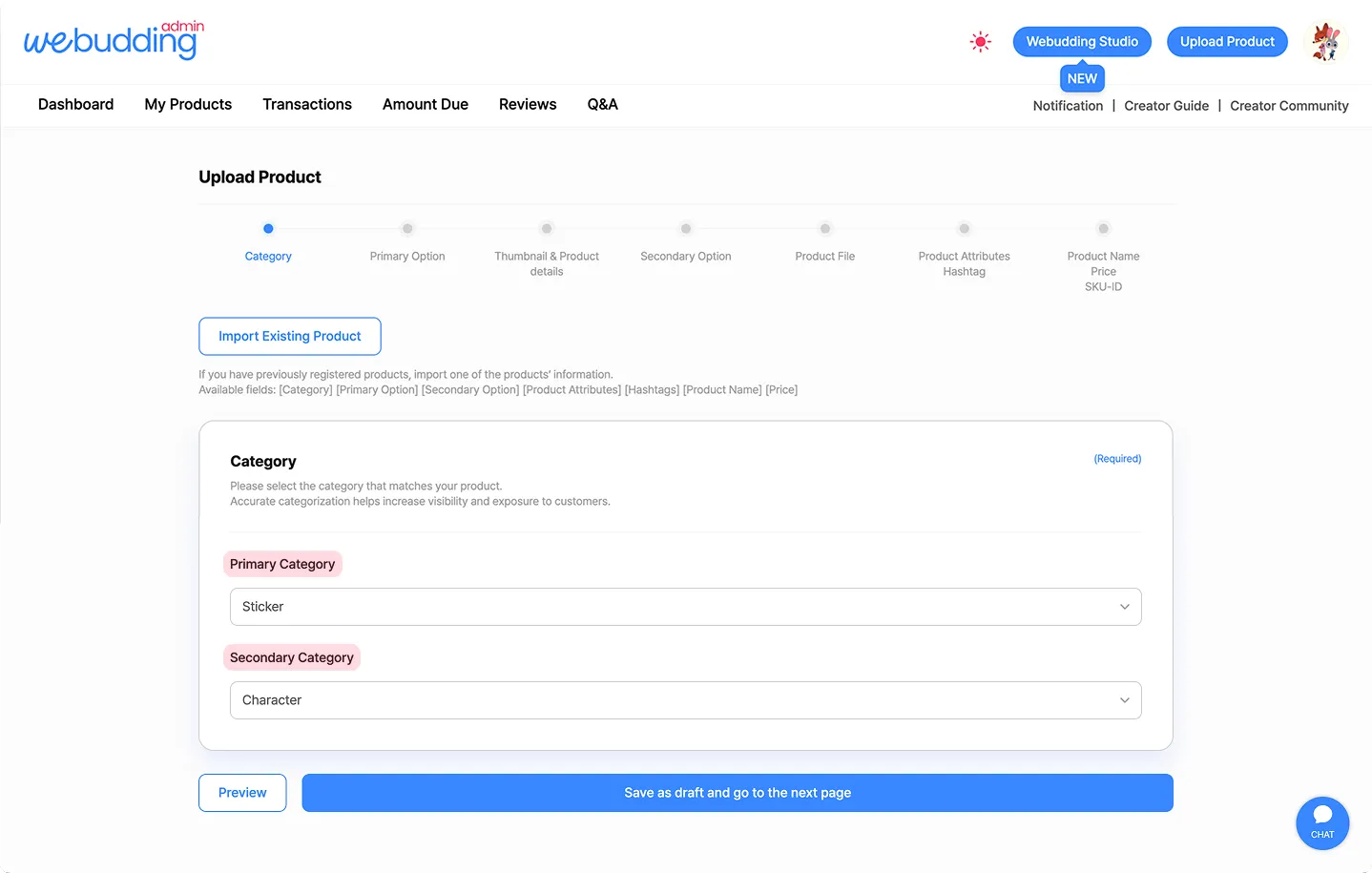
When registering a product, you must assign a [Category] based on its primary use.
•
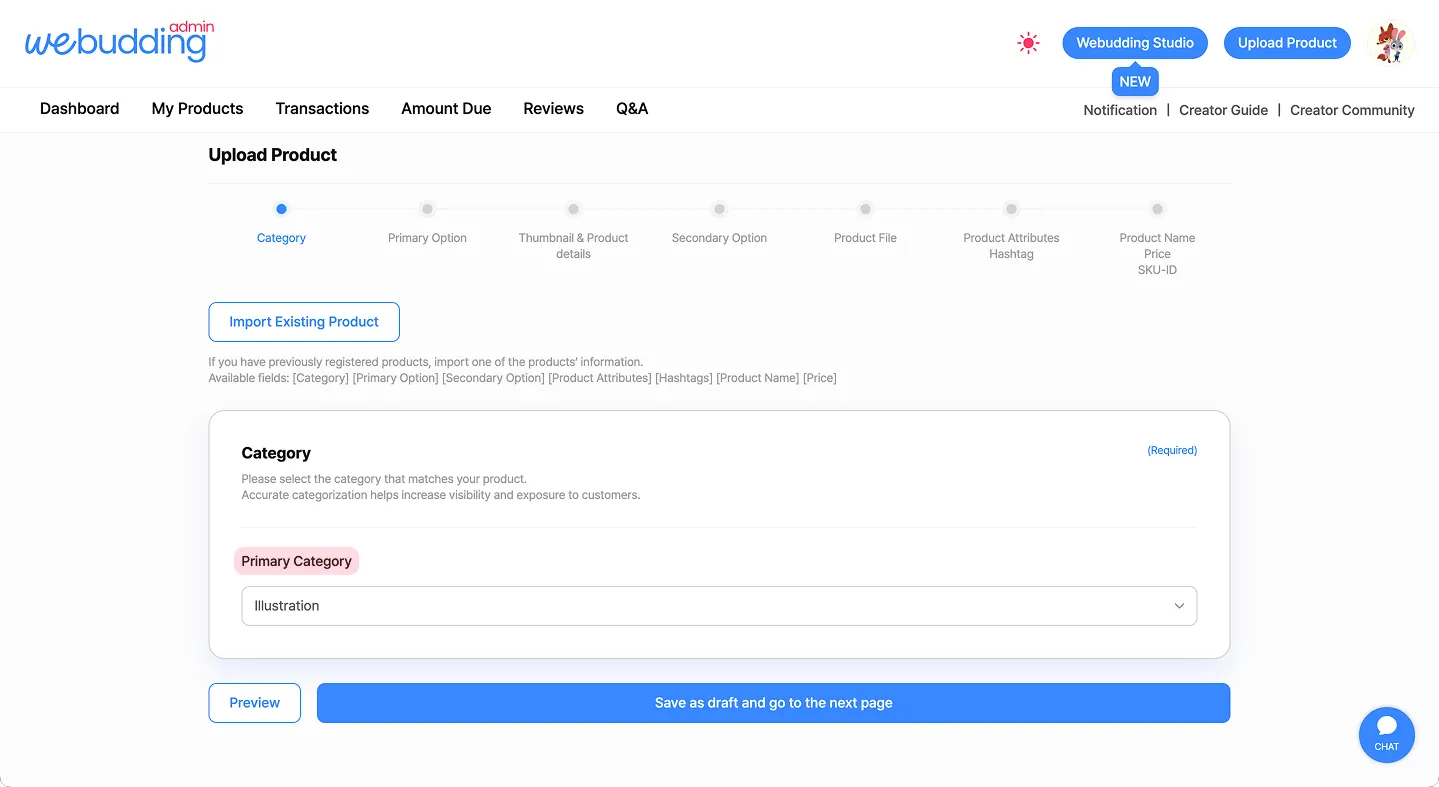
Depending on the selected [Primary Category], the [Secondary Category] will be automatically enabled.
◦
[Primary Category] only: Calendar, KakaoTalk Theme, Notion, Wallpaper/Icon, Brush/Template, Font, eBook, Illustration, Document Template, Card/Postcard, Design Template, Video
2. Category - Edit
•
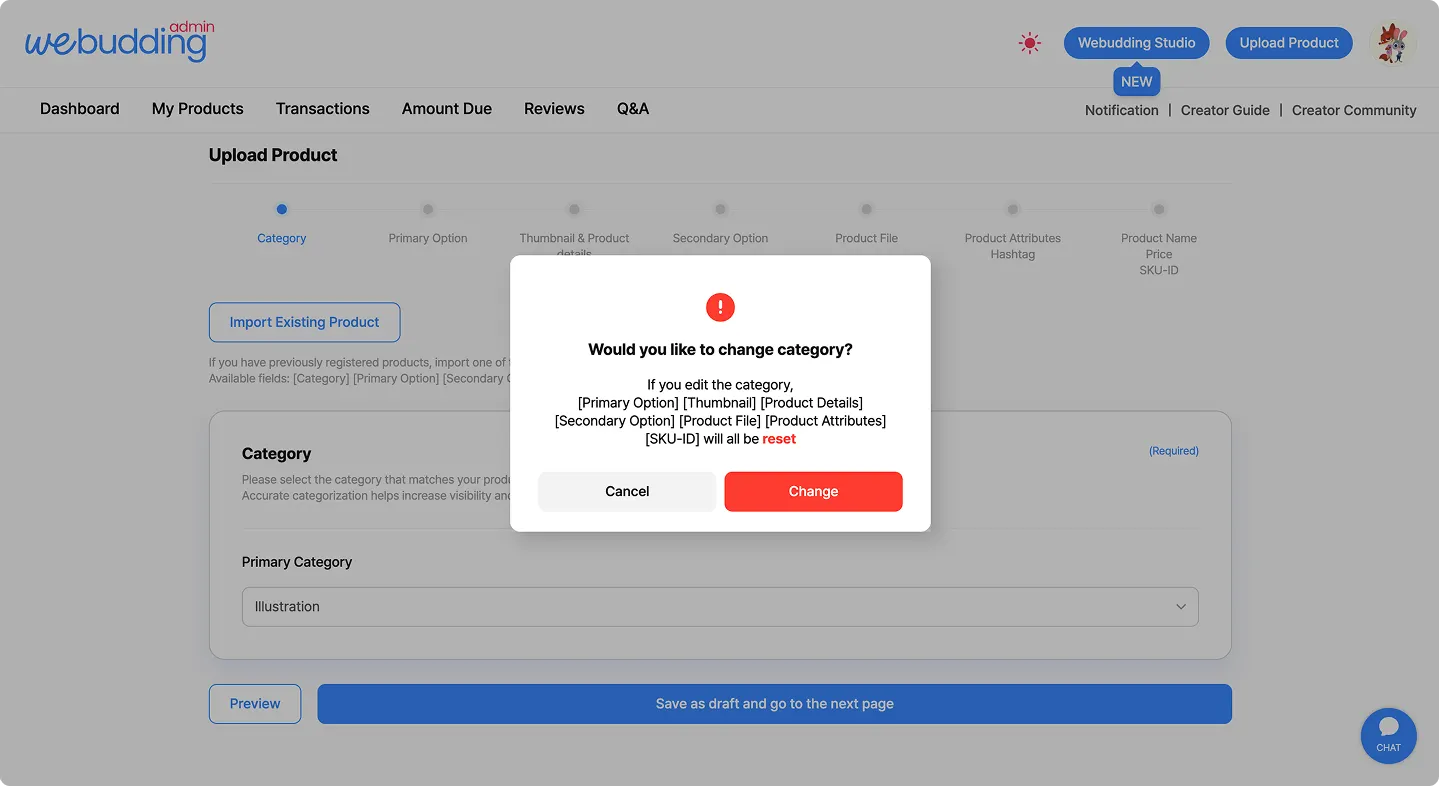
If you change the [Category], the following information will be reseted.
◦
Primary Options, Thumbnails, Product Details, Secondary Options, Product File, Product Attributes, SKU-ID
 Go back to the guide