


You can update your creator information through the My Page > Admin Information section without submitting a separate inquiry.
1. My Profile Icon → [My Page] → [Admin Information]
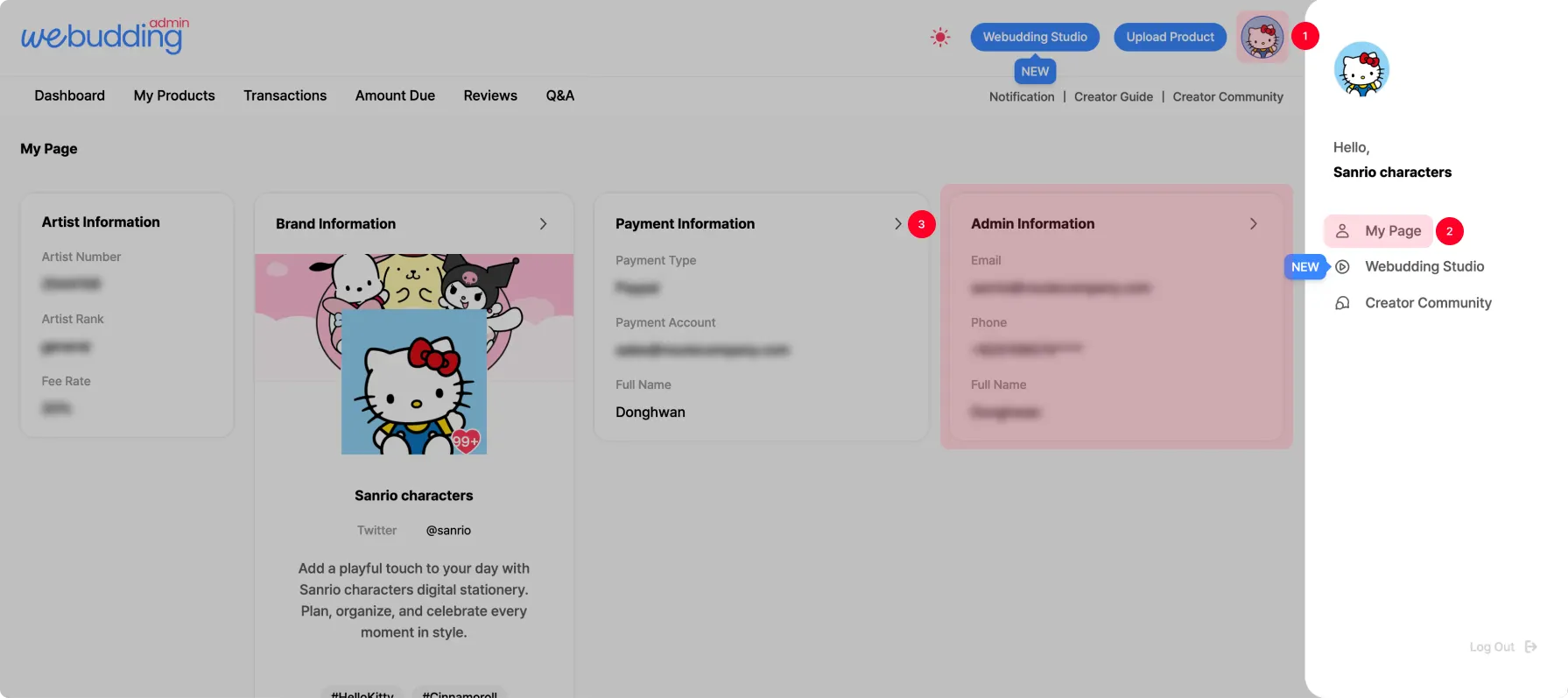
2. After editing each item, click [Save].
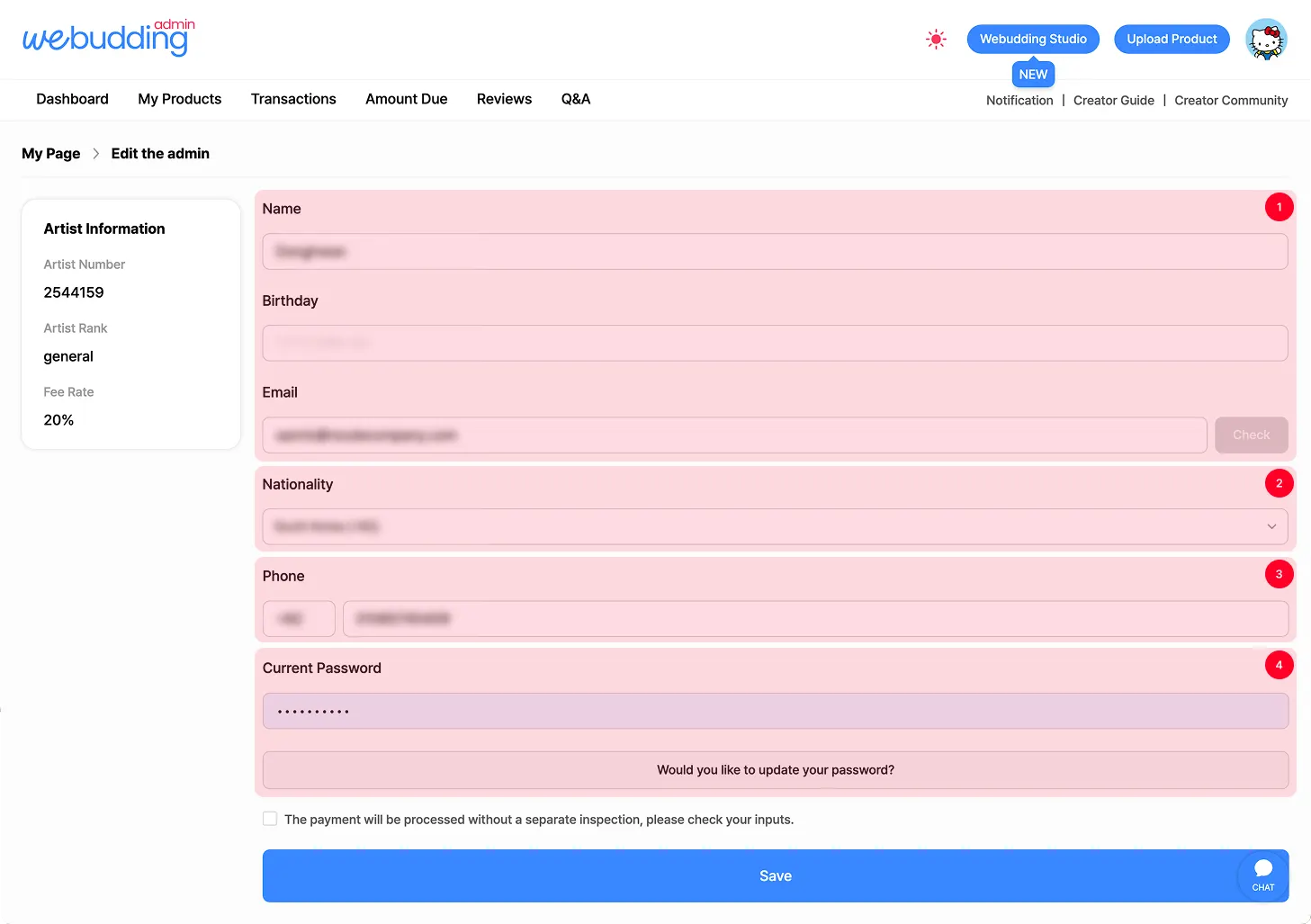

Feel free to update your Creator Admin information.
1.
Change Name & Resident Registration Number
You can change your name and resident registration number through identity verification.
2.
Change Email Address
You can update the login ID (email) for the Creator Admin.
3.
Change Mobile Phone Number
If you need to update your phone number, you can do so through phone number verification.
4.
Current Password
You must enter your current Creator Admin password to edit admin information.
•
After making changes to any admin information, please complete the required confirmation check and click [Save] for the updates to take effect.
 Go back to the guide
Tel : 1877-8160 ⎜ contact@noutecompany.com
서울특별시 마포구 마포대로 122, 프론트원 누트컴퍼니