


This section explains how to check your sales history in the Creator Admin.

Please Note!
•
Personal information about buyers is not provided.
•
Sales volume and revenue are updated hourly, on the hour, for orders placed up to 72 hours prior.
1. Dashboard


You can check the number of products, sales volume, and sales amount by category.
2. Transactions
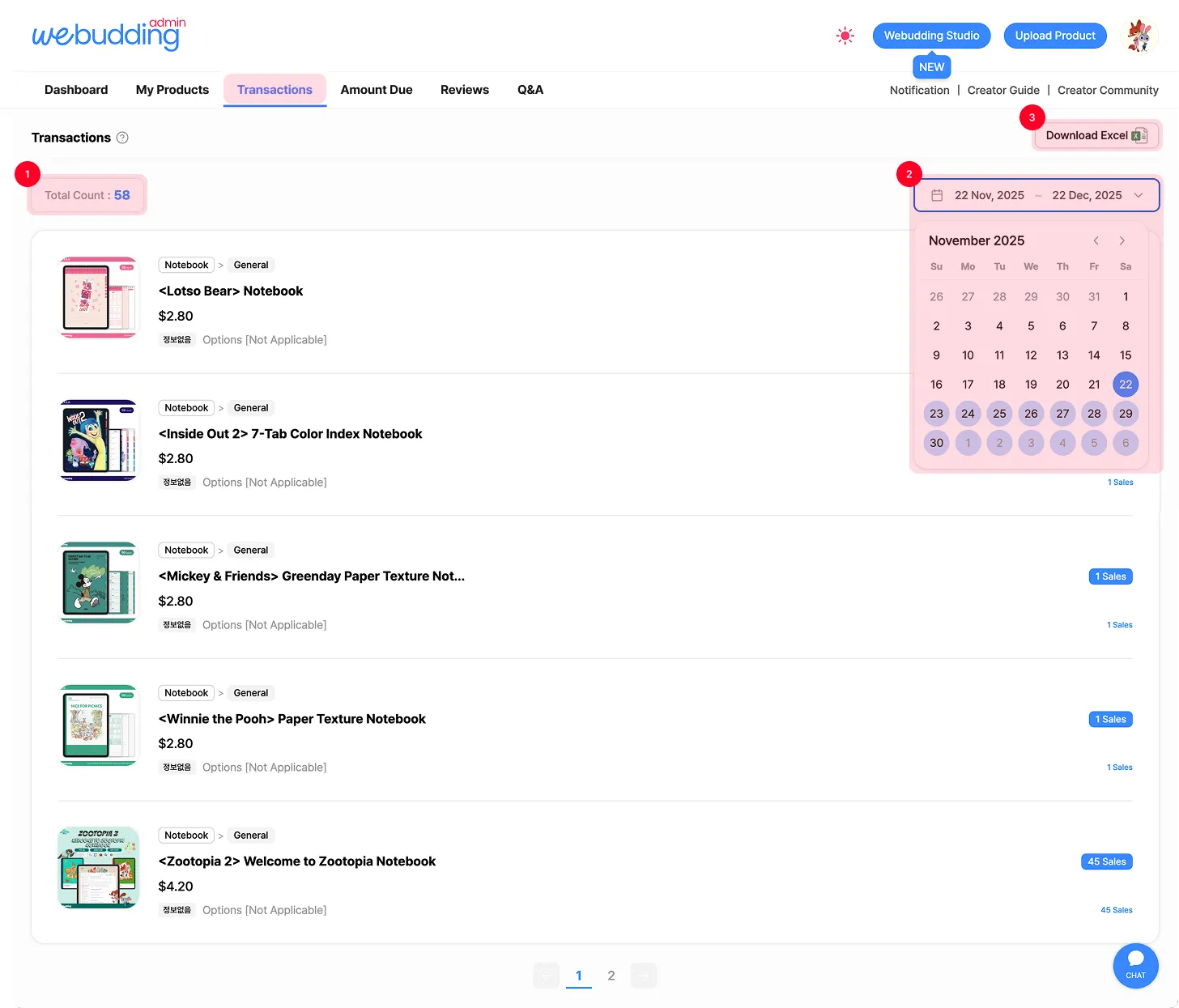
You can check your sales by product in [Transactions].
1.
Sales
Depending on the time of inquiry, the actual sales volume may not be fully reflected. For this reason, we recommend using this data for reference only.
2.
View Sales by Date Range
Click the dates to set a start and end date for the sales period you want to review.
This allows you to quickly and conveniently check sales performance for a specific period.
3.
Download Excel
Download the Excel file to review product details, sale prices, and sales dates for each product.
 Go back to the guide
Tel : 1877-8160 ⎜ contact@noutecompany.com
서울특별시 마포구 마포대로 122, 프론트원 누트컴퍼니