This is a guide to uploading and creating thumbnails during the new product registration process.
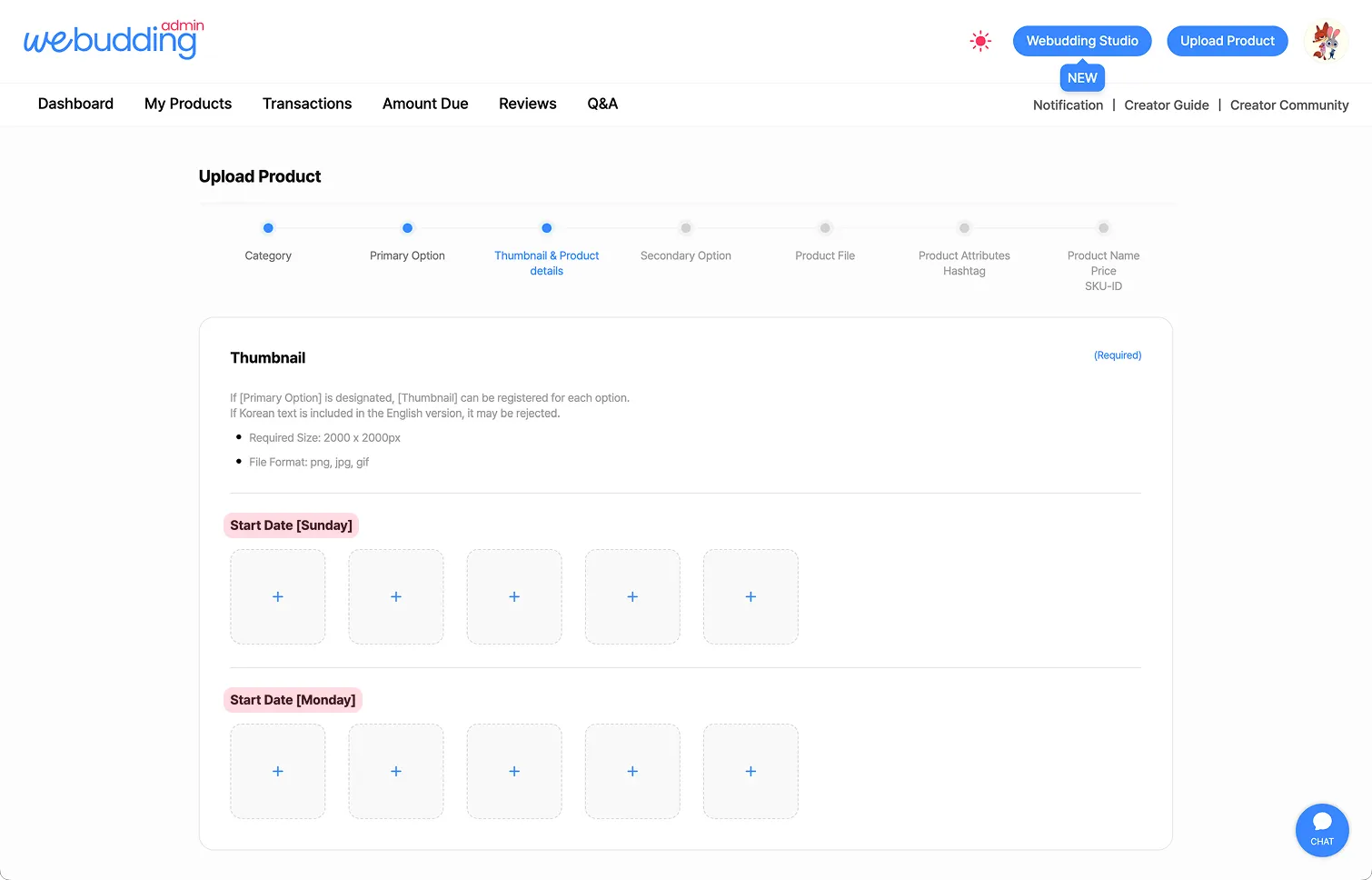
1. Thumbnail - Uplaod
•
You can upload different thumbnails for each Primary Option.
◦
For example, if you select Sunday and Monday as the start date, you can upload a Sunday thumbnail and a Monday thumbnail separately.
•
A minimum of 3 thumbnail images is required, with a maximum of 20 images allowed.
•
The first uploaded image will be set as the main thumbnail, and images will be displayed in the order they are uploaded.
•
The required image size is 1600 x 2000 px, and a resolution of 100-150 dpi is recommended.
•
Supported file formats are PNG, JPG, and GIF.
2. Thumbnail - Caution
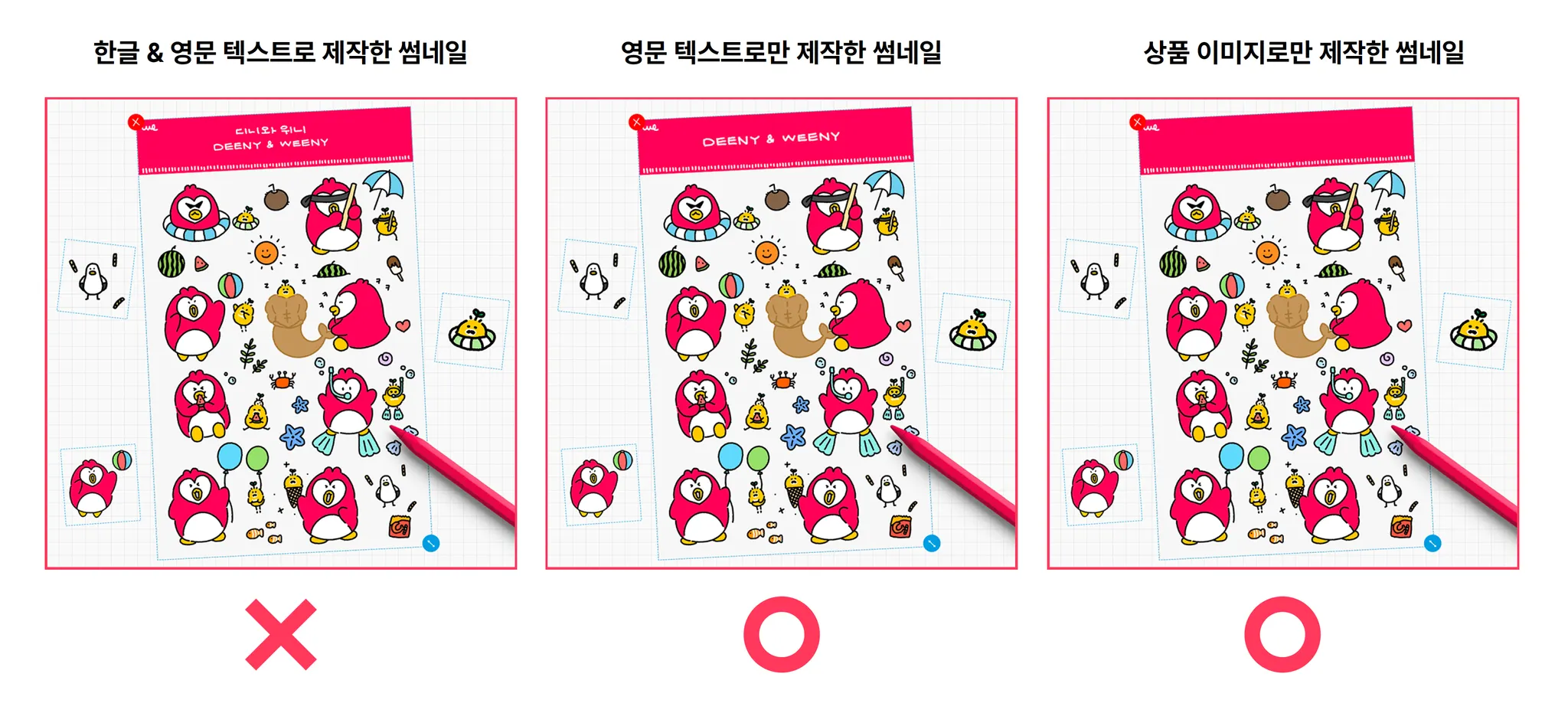
•
Arrange the contents so they can be understood at a glance, and add appropriate decorative elements.
•
To help prevent unauthorized use, include decorative elements such as backgrounds and shadows in the thumbnail.
•
We also recommend designing the thumbnails to include usage examples of the product.
3. Thumbnail - Add Titles
•
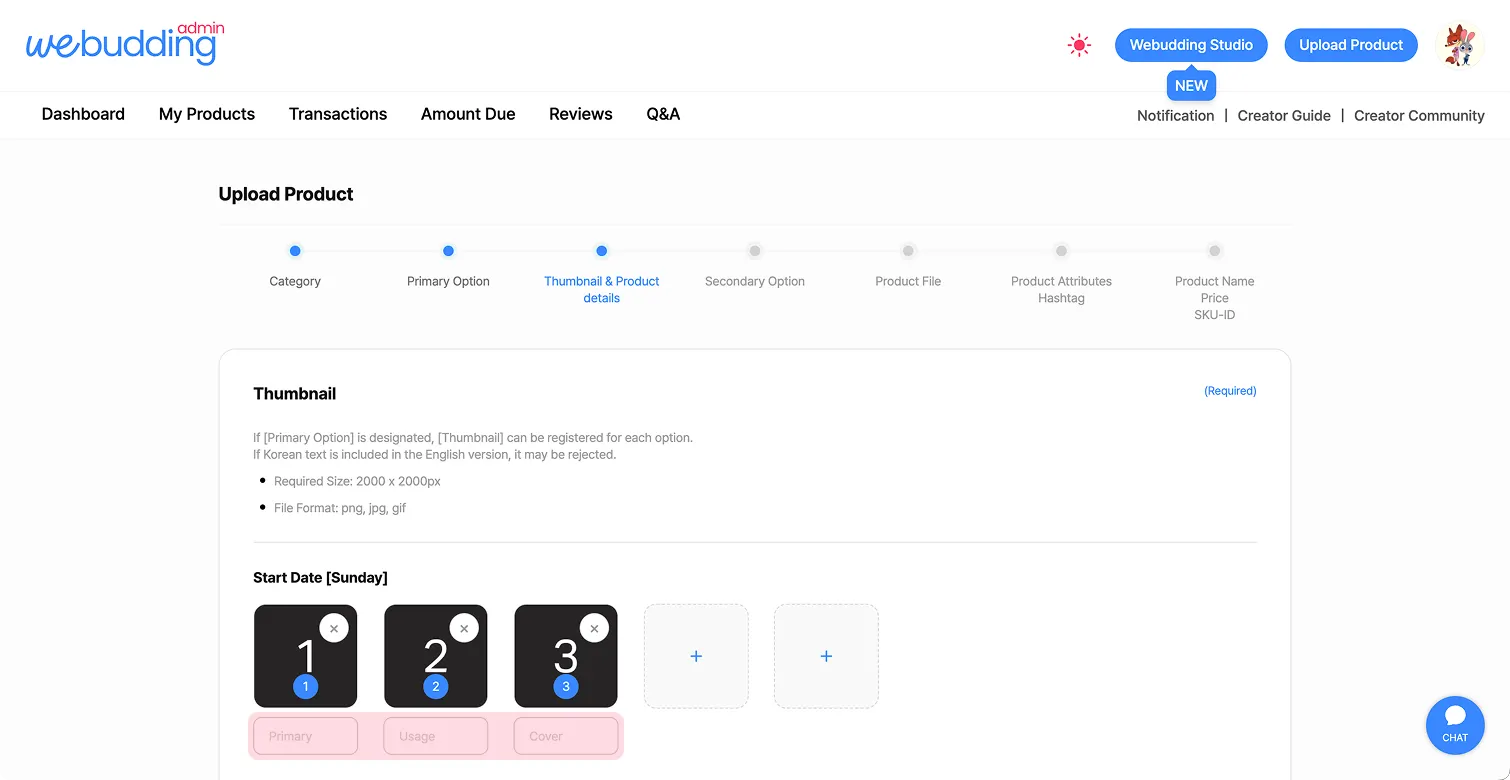
When registering a thumbnail, a text box for the Thumbnail Title will appear below.
•
The Thumbnail Title serves as a brief summary of the thumbnail, so please write it concise and keyword-focused to help customers grasp the key points at a glance.
 Go back to the guide