


If you would like to stop selling a product or resume selling a stopped product, you can use the “Stop Selling” feature on the product edit page in the Creator Admin to remove it from the Webudding website.
❗️ This applies only if the product has not been edited. If you edit the product, it will be uploaded after a review process.
1. Stop Selling a Product
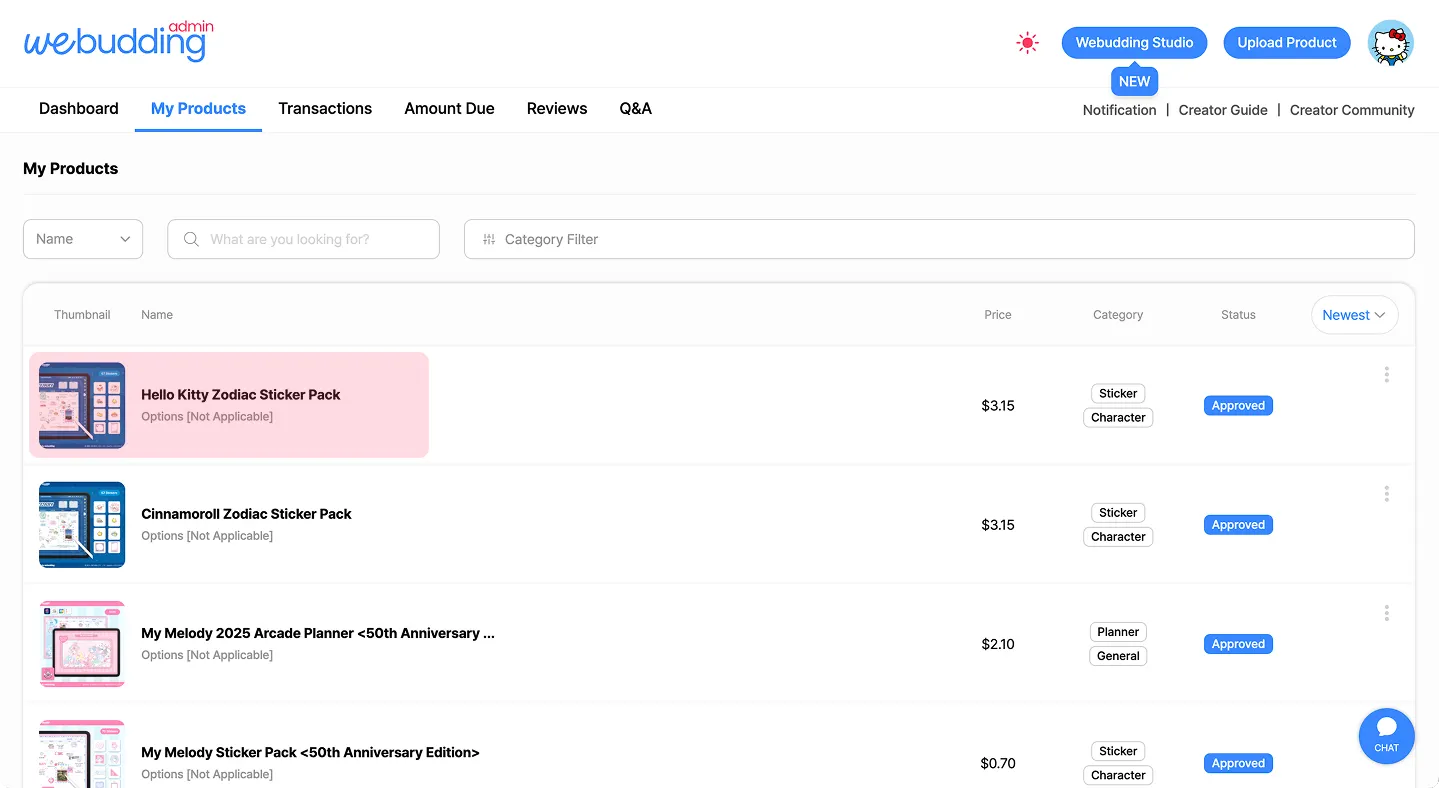
•
Click the product’s thumbnail or name in [My Products] to select the item you want to stop selling.
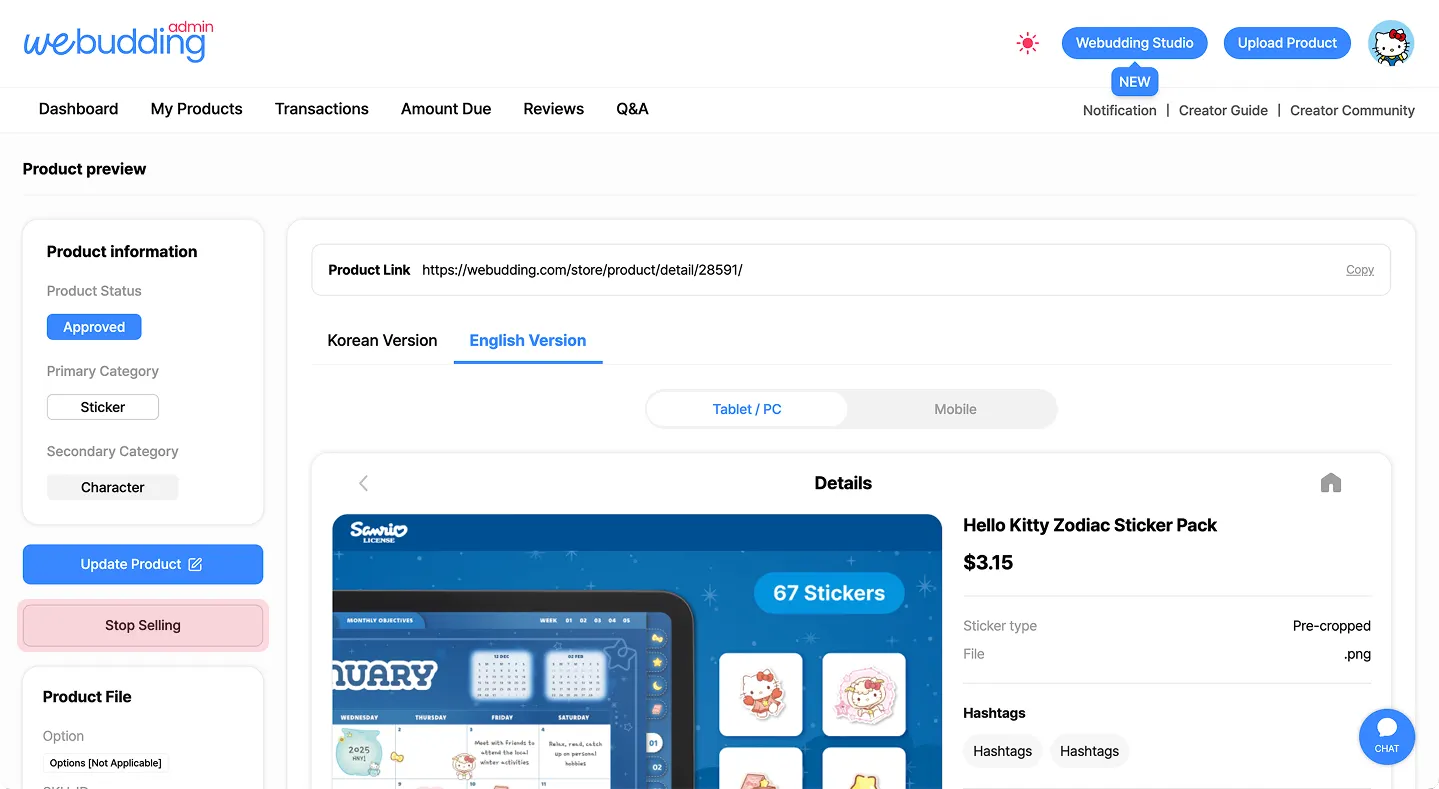
•
On the left, click [Stop Selling].
•
You can stop selling only when the product status is “Approved.”
(Changes apply immediately without a confirmation message, so please click carefully.)
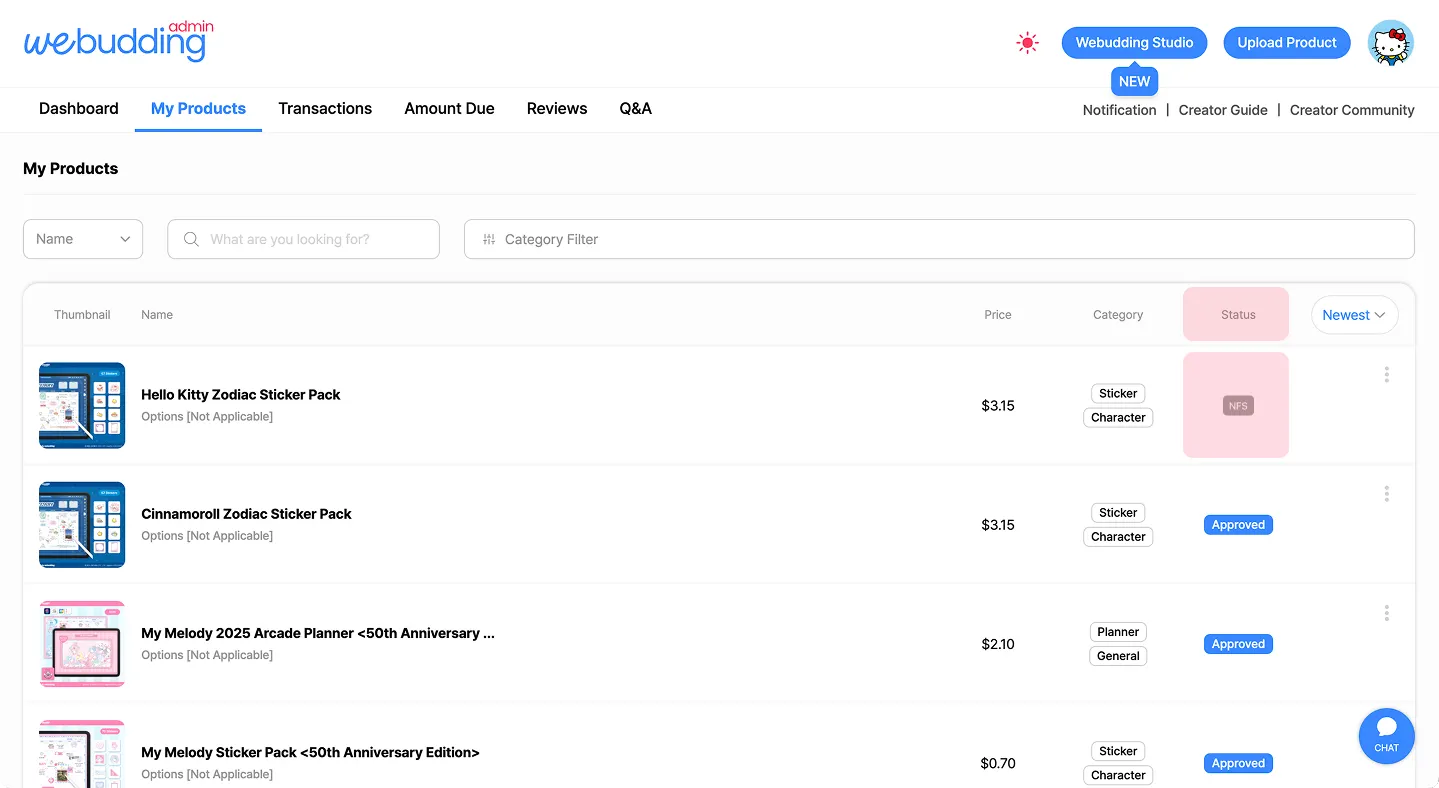
•
To confirm that the product has been successfully stopped from selling, please check that its status has changed to [NFS] in [My Products].
2. Resume Selling NFS Product
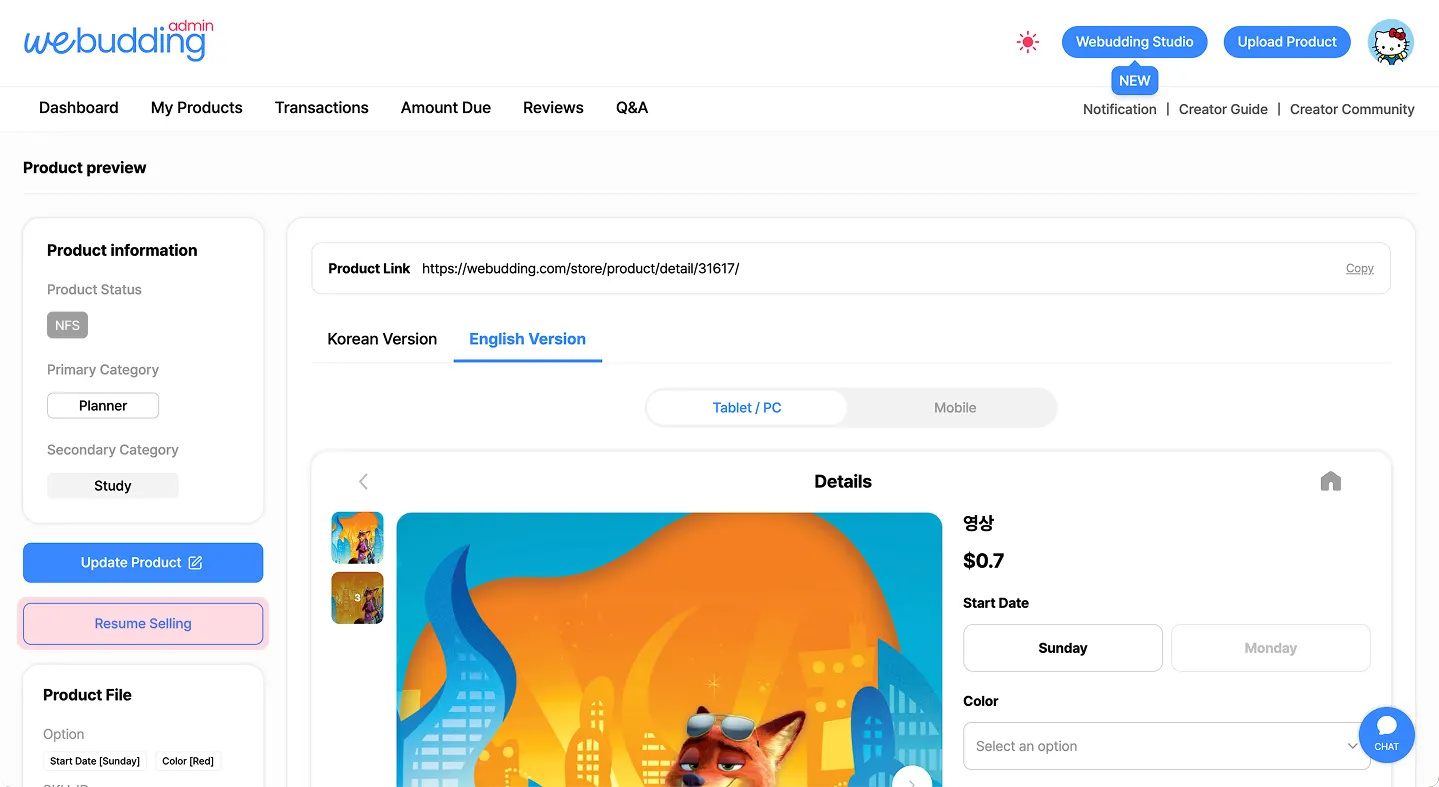
•
[내 상품 목록] > 판매 재개할 상품의 ‘썸네일 또는 상품명’을 클릭합니다.
•
좌측의 [상품 다시 판매하기] 버튼을 클릭하여 상태를 변경합니다.
•
[상품 다시 판매하기] 이후 별도 검수 없이 바로 ‘판매중’으로 변경되며, 위버딩에 다시 작품이 노출됩니다.
 Go back to the guide
Tel : 1877-8160 ⎜ contact@noutecompany.com
서울특별시 마포구 마포대로 122, 프론트원 누트컴퍼니