If creating Product Details feels difficult, try using the mockup files!
1. Mockup File - Download
•
Since the files are in .psd, you can use them only on the Adobe Photoshop.
2. Mockup File - User Guide
•
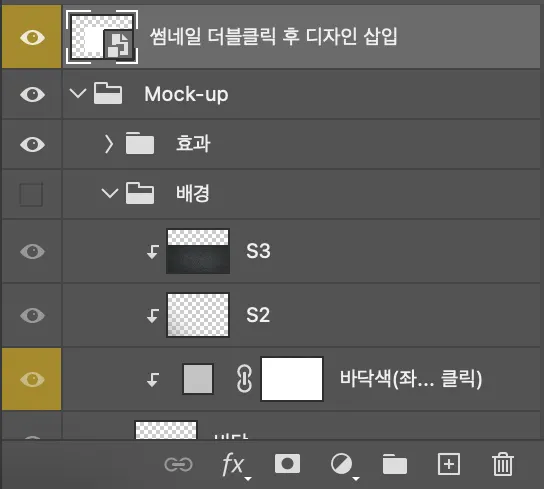
(1) Open the file, then double-click the preview labeled [Double-click the thumbnail above to insert your design] at the top.
•
(2) In the new file that opens, insert your page design.
•
(3) Save the file and return to the mockup file to see your design applied to the mockup.
 Go back to the guide