


This is a guide to edit your products in [My Product List]

Please note!
Currently, on Webudding, purchased products can be downloaded without any limit on the number of times or the download period.
As a result, any updated products can be re-downloaded by customers from their purchase history.
Minor edits are acceptable, but if you plan to make a major renewal, please upload it as a new product.
Otherwise, customers will be able to re-download the renewed version of the product.
Please also note that existing purchasers will not be able to purchase the product again.
1. Edit Product
•
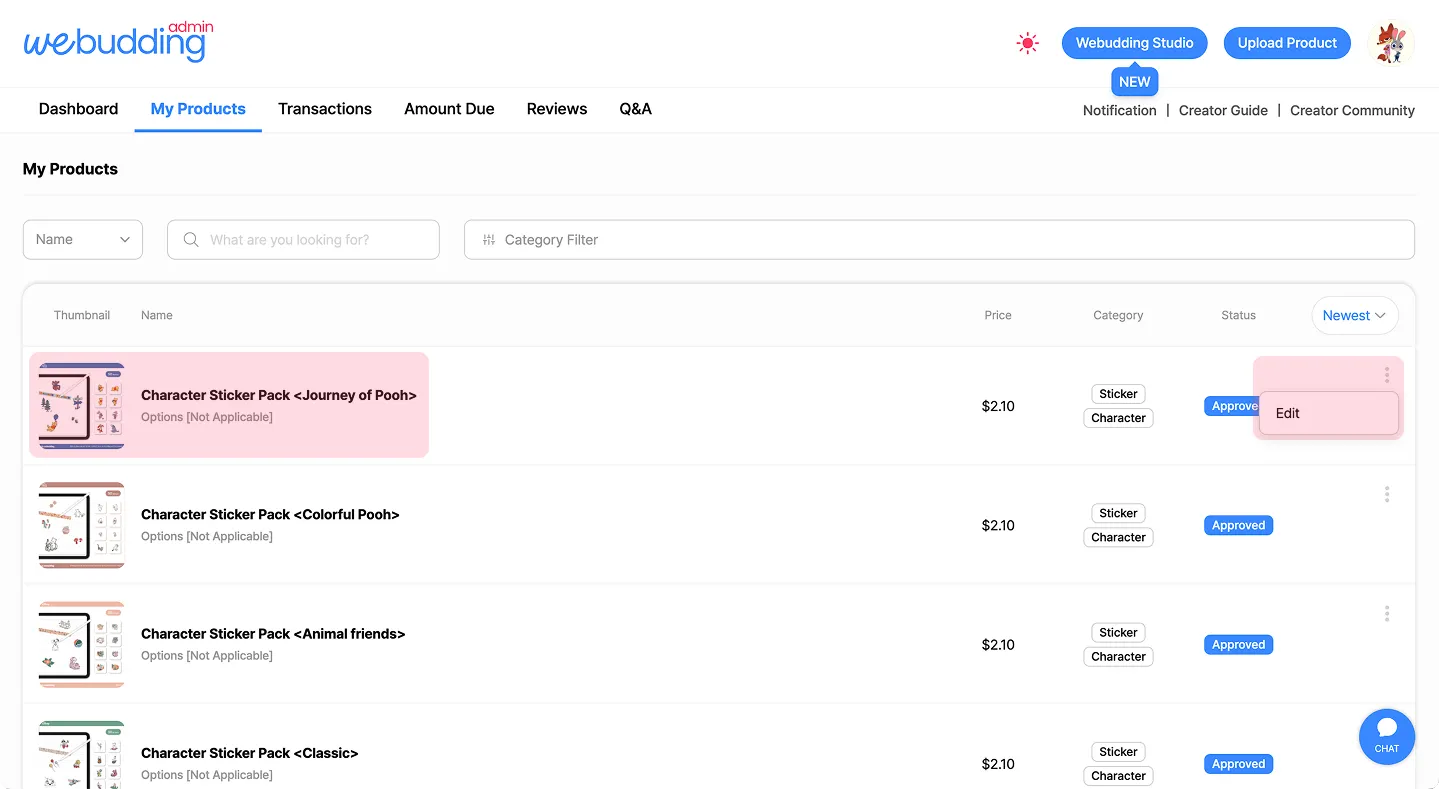
From [My Product List], click the thumbnail or product name to open the [Product Detail Preview] page.
Then, click [Edit Product] on the left side to move to the [Edit Product] page.
•
Alternatively, go to [My Product List], click the three dots on the right, and select [Edit] to go directly to the [Edit Product] page.
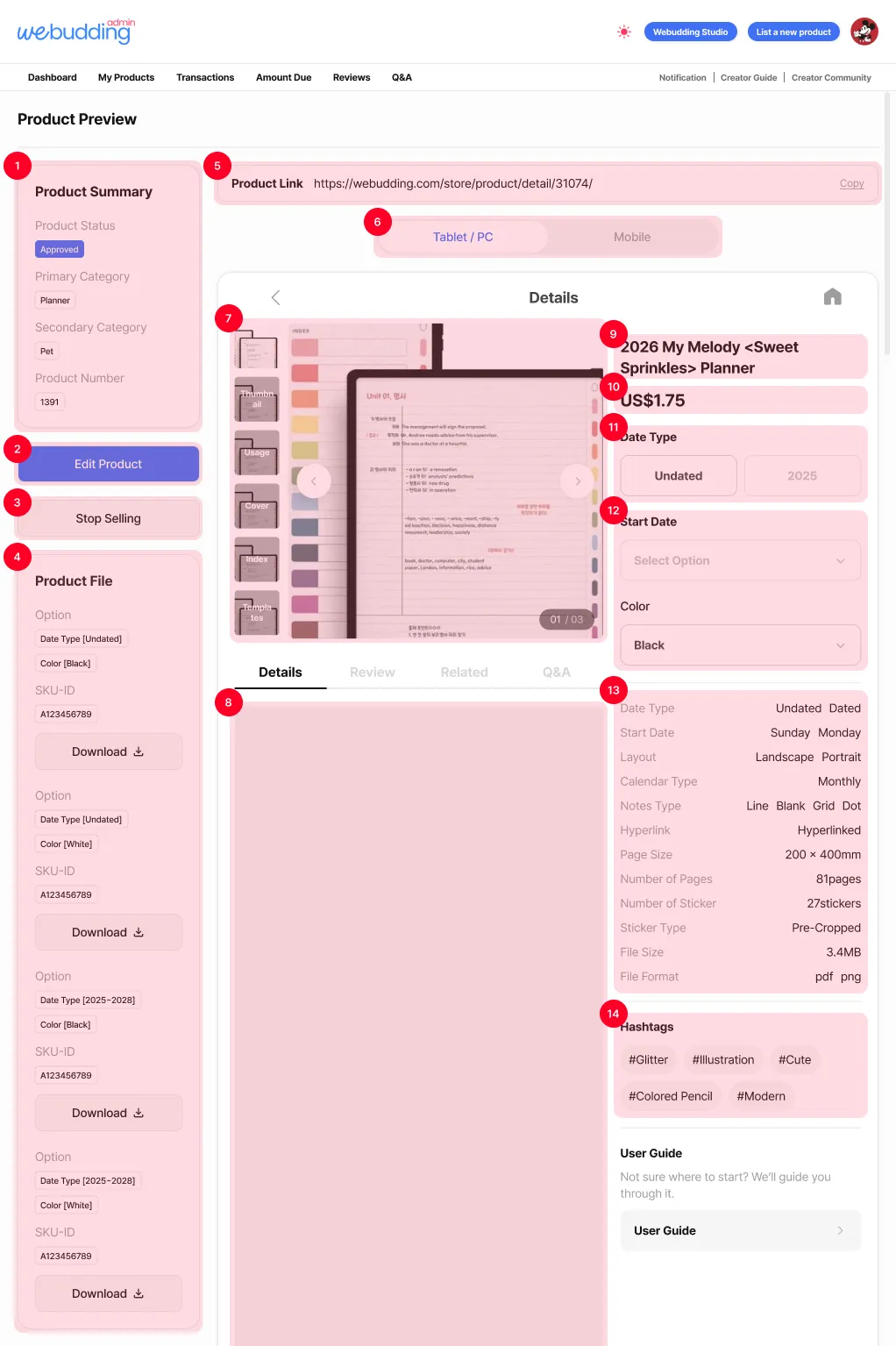
 [Product Details Preview]
 2. Status – Pending Edit Approval
•
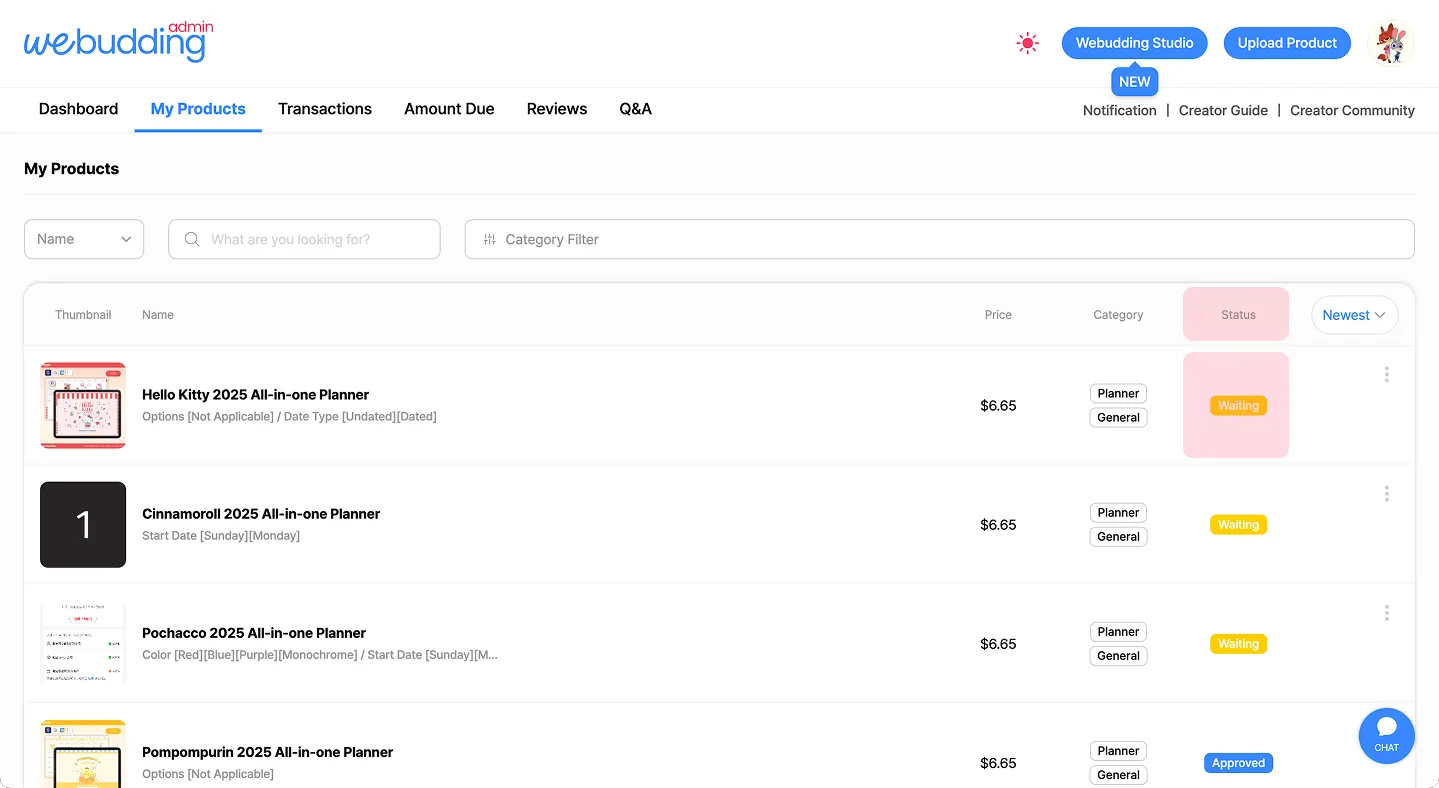
If the request to resume sales is submitted successfully, the product status will change to “Pending Edit Approval.”
•
After the Webudding product management team reviews the product and finds no issues, the status will be updated to “Approved.”
 Go back to the guide
Tel : 1877-8160 ⎜ contact@noutecompany.com
서울특별시 마포구 마포대로 122, 프론트원 누트컴퍼니