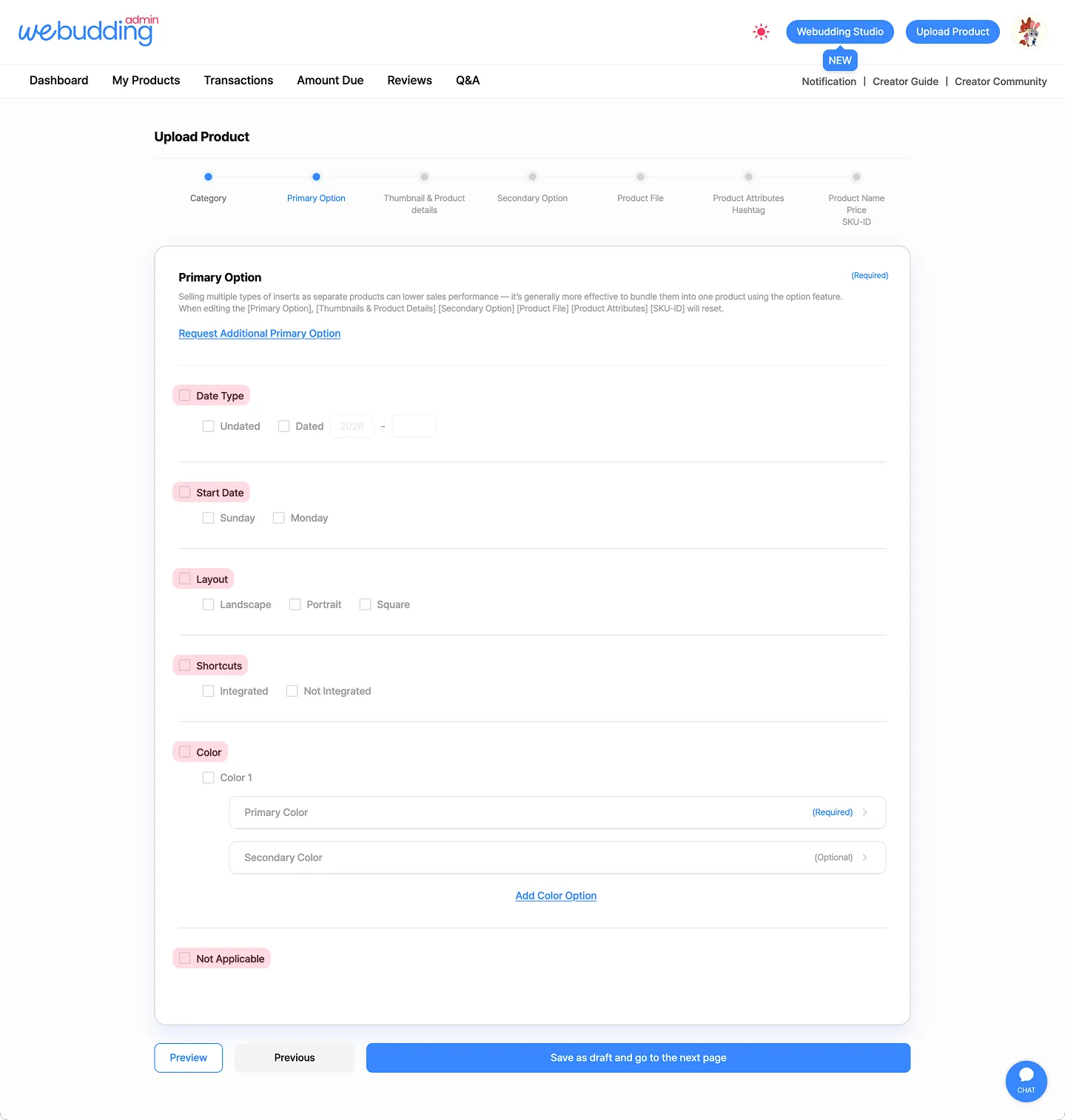
This guide is about the “Primary Option” feature, which allows you to set multiple options for a single product during the new product registration process and upload different thumbnails and product details for each option.
1. Primary Option - Select
•
If you have similar files that differ only by product details such as color or date type, please set options and register them as a single product.
◦
Grouping the into one product increases the likelihood of customer purchases!
•
When you set a Primary Option, you can upload different thumbnails and product dailts for each option.
◦
For example, if you set a “Sunday” and “Monday” as the Start Day, you can upload separate Sunday thumbnails and product details and Monday thumbnails and product details.
•
If you want to upload the same thumbnail and product details regardless of options:
◦
(1)  Select only one Primary Option (eg. “Sunday” under Start Day), or
Select only one Primary Option (eg. “Sunday” under Start Day), or◦
(2) if selecting just one option is not suitable, select “Not Applicable.”
2. Primary Option - Edit
•
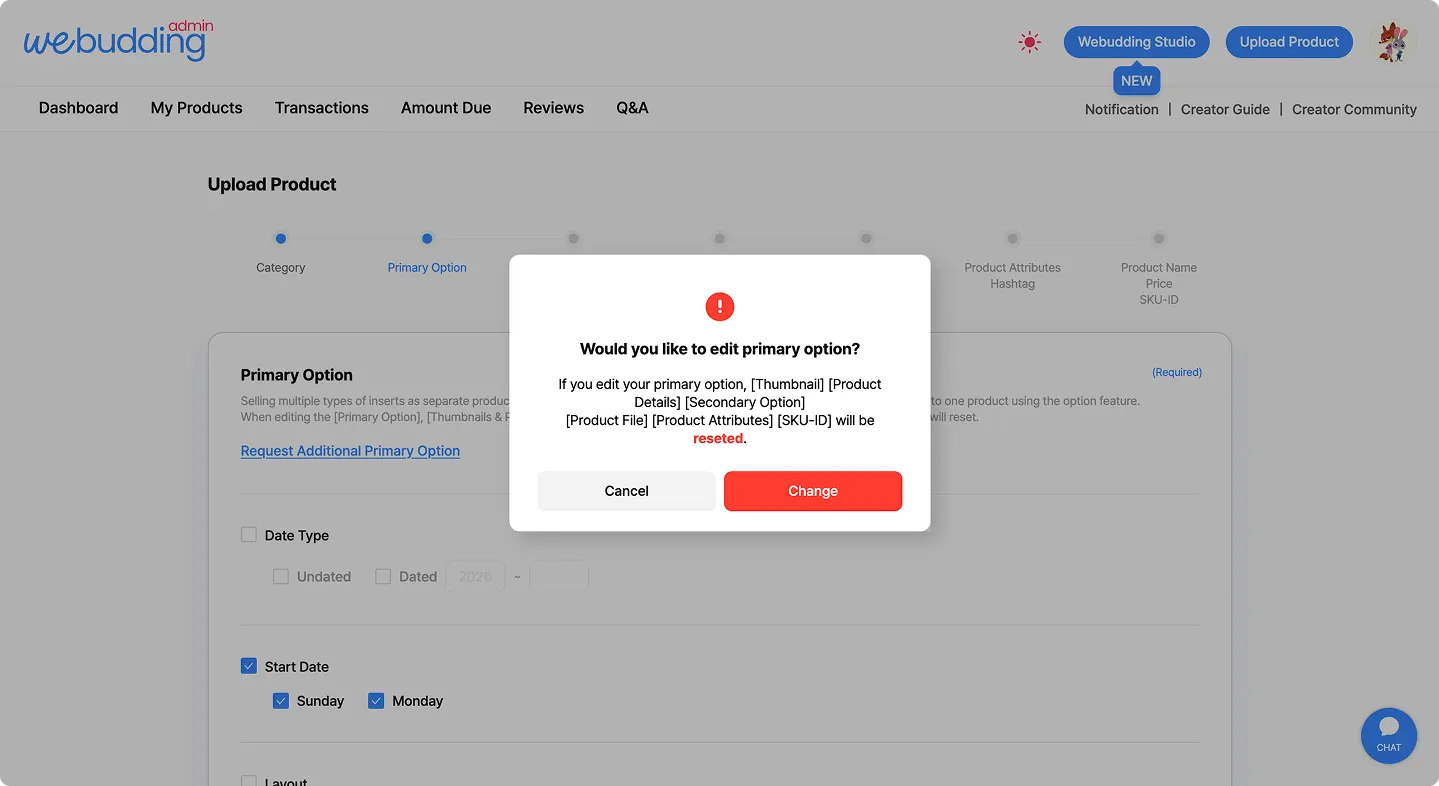
If you change the [Primary Option], the following information will be reseted:
◦
Thumbnail, Product Details, Secondary Option, Product File, Product Attributes, and SKU ID
 Go back to the guide