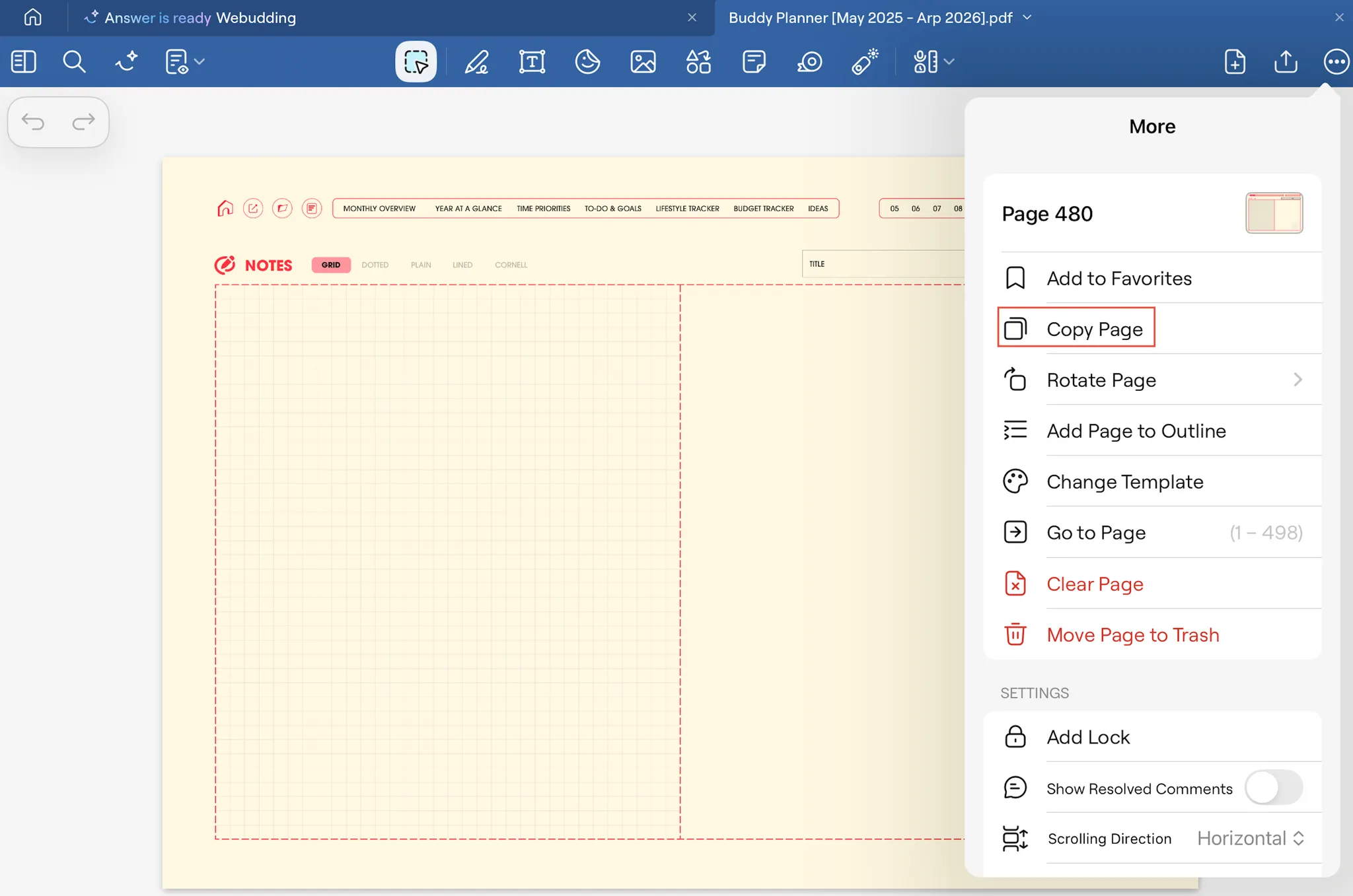
01. Go to the page you would like to copy → [More] → [Copy Page]
02. [Paste Page]
 You can choose where you would like to past the copied page: [Before], [After], and [Last Page].
 You can choose where you would like to past the copied page: [Before], [After], and [Last Page].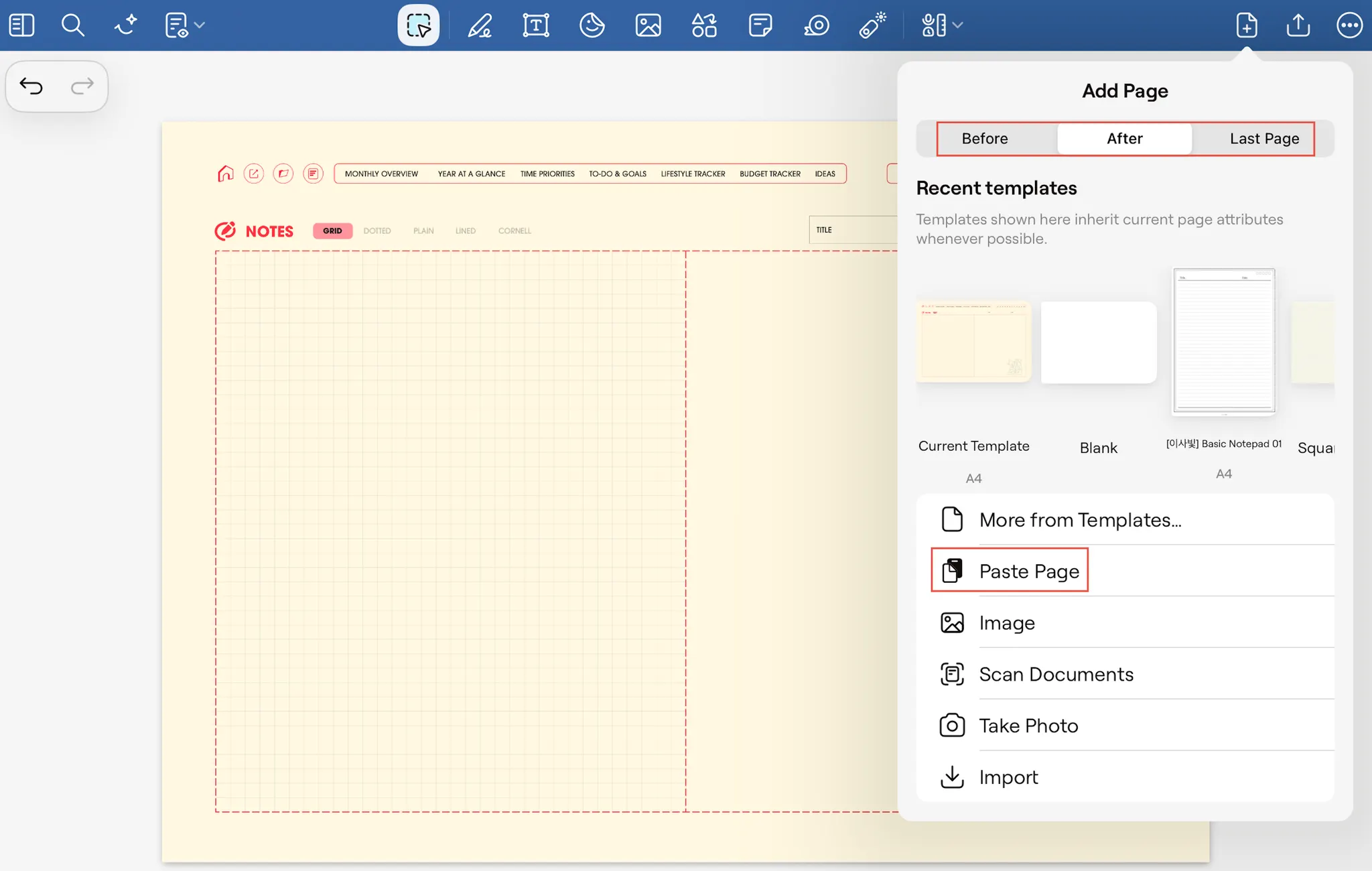
 Go back